Enterprise research programs increasingly operate under contracts and internal policies that specify exactly who can access personally identifiable information (PII) about participants. Moderating a study and knowing the identity of the people in it can be different jobs. A moderator's role is to keep a discussion moving, probe on interesting responses and keep a study running to design. None of that requires knowing who a participant is by name. Recollective has drawn this line for clients for years, giving organizations control over what participant information a client can see. Now, Moderator Privacy Controls by Recollective extends the same model to moderators.
We built this new capability after hearing the same request from more than one customer: they needed moderators to facilitate research, not to inherit access to participant identity data as a side effect of doing their job. For organizations with contractual privacy obligations or internal policies governing who can see participant information, that distinction is a requirement.
What Moderator Privacy Controls Do
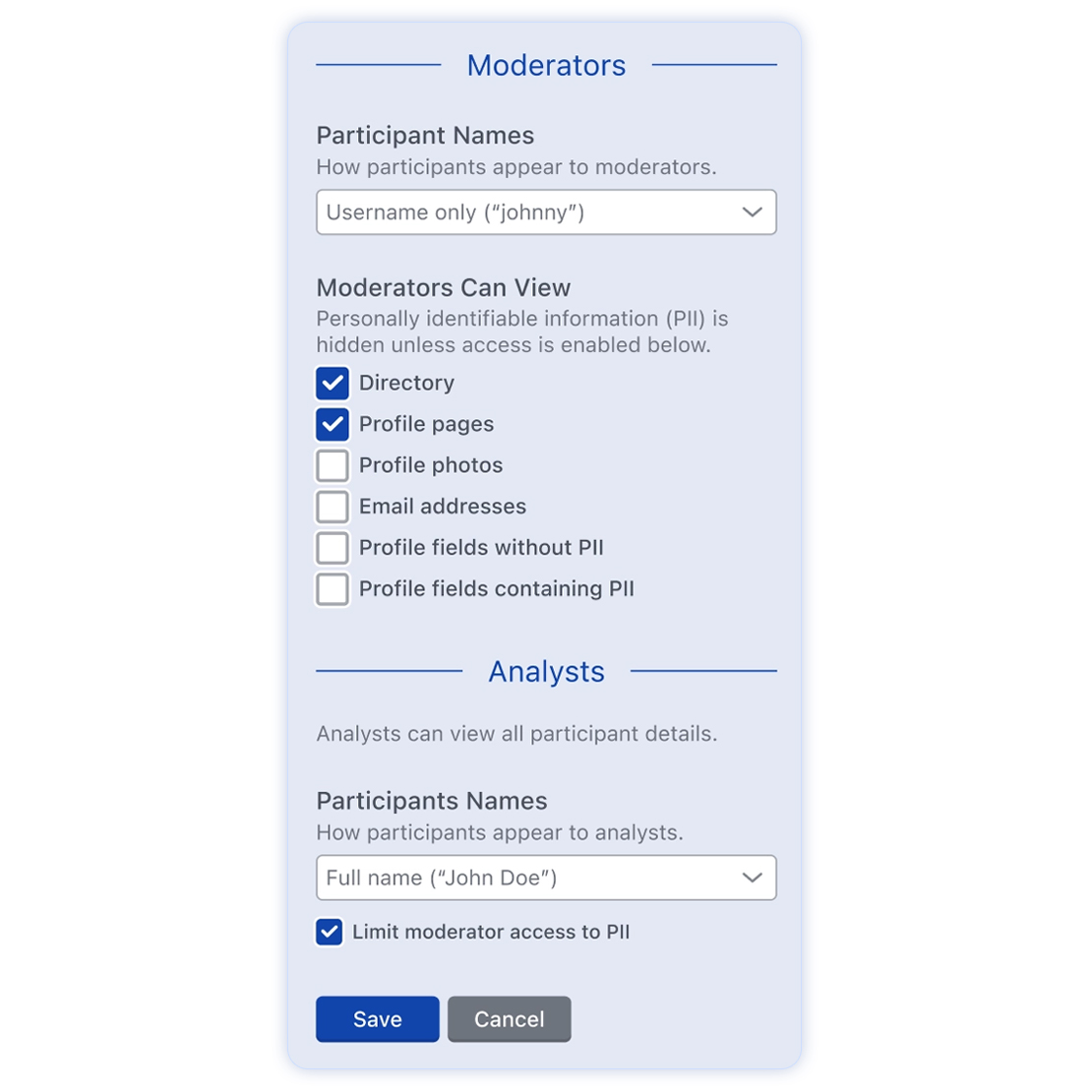
An Analyst (the Recollective system role responsible for study settings) can enable Moderator Privacy Controls within a Recollective study's privacy settings, then choose exactly which categories of participant information moderators can access, so an organization can be as targeted as its policy requires.
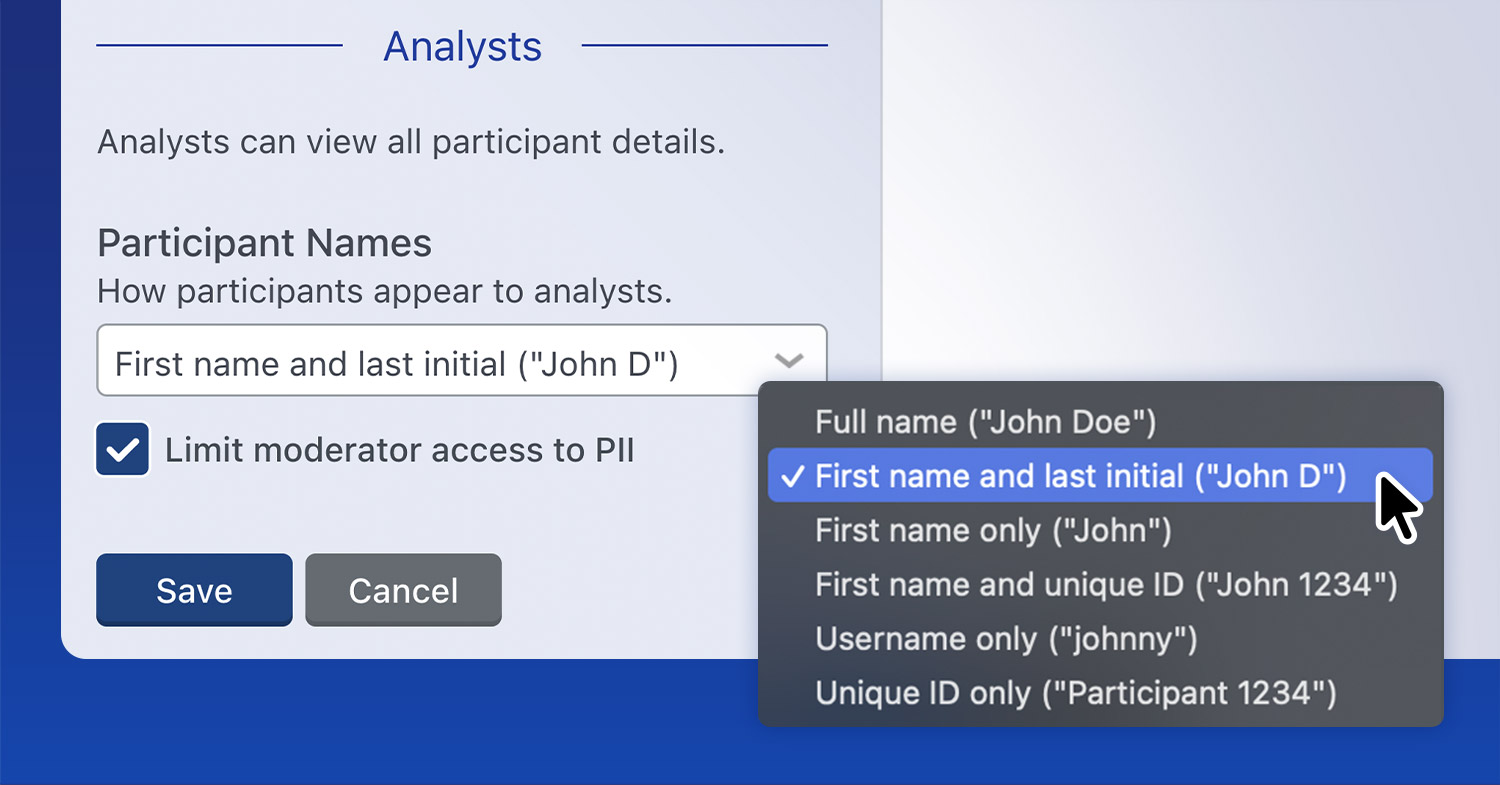
Analysts can select how participants appear specifically to Moderators within the study space as well by choosing one of the identity display options:
- Full name
- First name and last initial
- First name and unique ID
- Username only
- Unique ID only
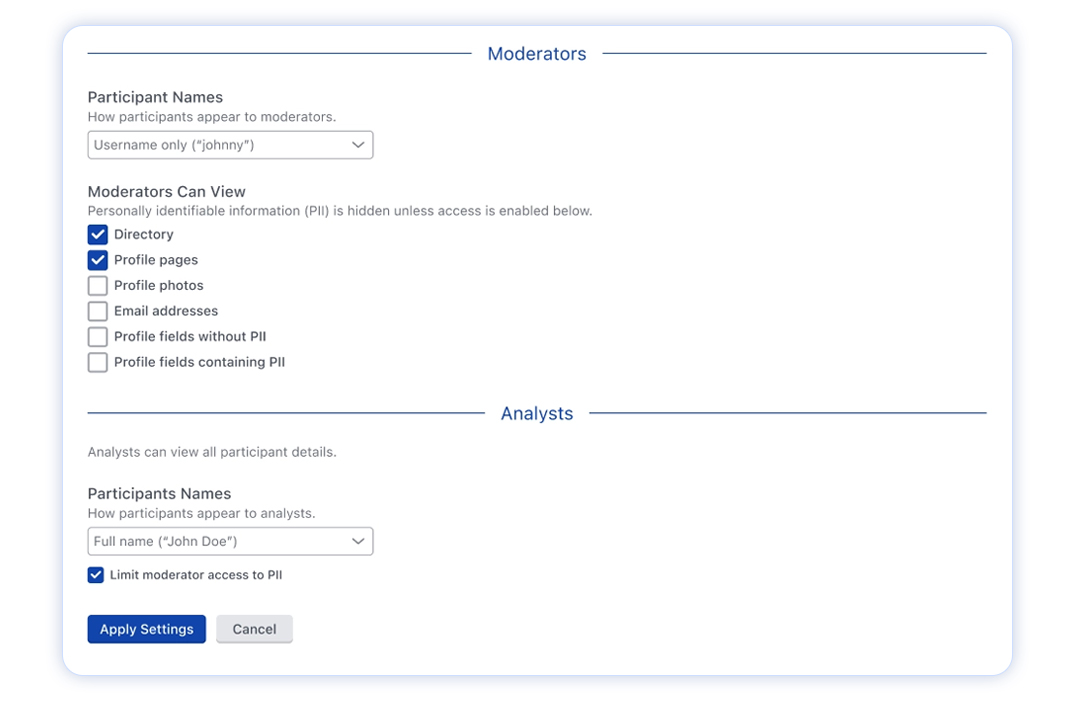
Organizations that want one standard across every study can also set a default at the site level, inside site-wide privacy settings. New studies inherit that default automatically, so an Analyst does not need to reconfigure the same restrictions each time a study launches. Site-level changes do not apply retroactively; existing studies keep their current configuration, so changing a default never alters a study already underway.
Consistent Everywhere, Not Just on the Surface
Once an Analyst limits moderator access to a category of participant information, that limit applies everywhere participant data appears, including profiles, directories, reports, transcripts, exports, messaging and filtering tools. A moderator who cannot see a participant's email address on their profile will not find it in an export either.
What Moderator Privacy Controls Mean for Your Next Security Review
Enterprise procurement and legal teams ask a specific question during vendor review: who has access to participant identity data and can that access be limited to what a role actually requires. Moderator Privacy Controls provide Recollective customers with a specific, documented answer. The least-privilege standard that security teams apply across corporate systems can now be applied to research operations.
What This Means for Your Team
With privacy standards continuing to tighten, this closes a compliance gap for the insights leader championing Recollective internally. Instead of promising legal or IT that participant data is handled carefully, an insights team can point to the specific setting that enforces it. That is a stronger position for a research program trying to prove it can be trusted with sensitive client or consumer data at scale.
What Doesn't Change
Moderator Privacy Controls is optional and disabled by default. Organizations that do not enable it will see no change to existing studies, workflows or moderator access. The feature exists for the enterprise programs that need it, not as a new step every study has to configure.
Availability
Moderator Privacy Controls is available now at both the study and site level. To configure it for an upcoming study or set a site-wide default, contact us or your account manager.